Examples
See what you can build with your data.
Two example workflows, from the first upload to a result you can use in your own tools.
Image annotation
Prepare a visual inspection dataset.
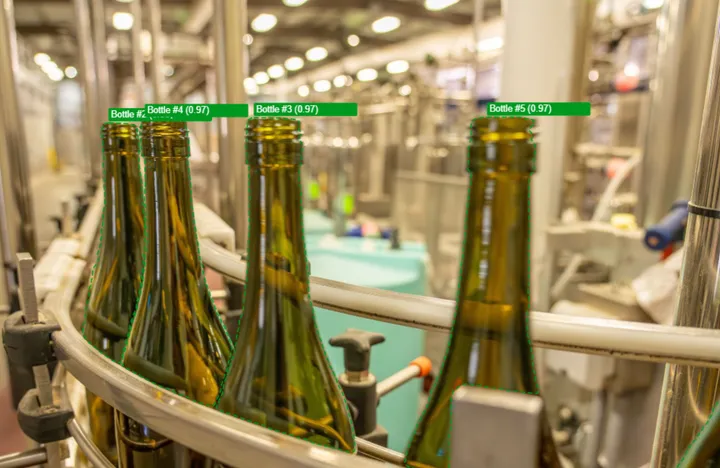
Start with images from a bottling line and label the defects you want a model to recognize.
- 01
Define what matters
Create an image dataset and labels for the objects or defects you want to identify.
- 02
Annotate and refine
Use Magic Select for individual objects or Magic Annotate for a batch. Adjust bounding boxes and polygons where needed.
- 03
Review and export
Approve the images, save a dataset version, and export COCO for your training workflow.
The result / COCO
Images and reviewed annotations in a COCO archive, ready for your own training tools.
Document preparation
Give your AI agent better source material.
Turn a collection of PDFs and scans into content you can inspect, correct, and reuse.
- 01
Extract the content
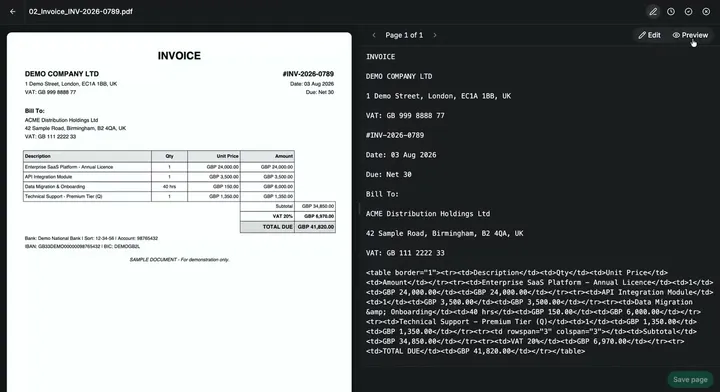
Upload PDFs or scanned images to a document dataset. OCR extracts text, tables, and figures.
- 02
Check against the original
Review the pages and correct the Markdown. Approve the documents and save a version.
- 03
Continue in your own tools
Export Markdown for your document pipeline, or an LLM Wiki for your AI agent to explore and develop.
The result / Markdown / LLM Wiki
Reviewed source content you can take to your AI tools, with originals and agent instructions included in the LLM Wiki export.
Already working with an AI agent?
Connect it through MCP to inspect datasets, edit annotations, and retrieve exports from a conversation.
Read the MCP quickstartTry a workflow with your data.
Create a free account and start with a few images or documents.